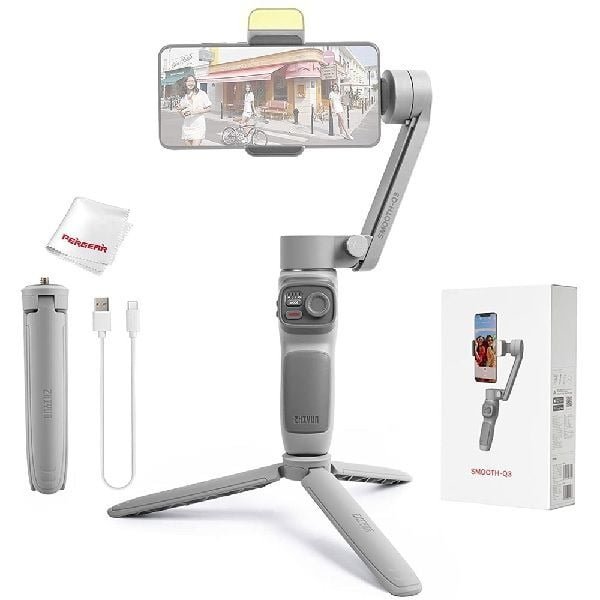
Zhiyun Smooth Q3 3-Axis Gimbal Stabilizer For Smartphone
$54.75
$102.38
Description Specification Brand Zhiyun Model Smooth Q3 App ZY Cami app Max. smartphone weight 280 g Smartphone mount clamping range 55 – 90 mm Product Dimensions 40 x 154 x 180 mm Weight (gimbal) 340 g Charging time 3 hours Batteries 1 Lithium Polymer batteries are required. (included) Battery life 7 – 15 hours Tilt range 340° Pan range 300° Manufacturer ZHIYUN Features Professional 3-axis stabilizer for smartphones; Integrated fill light with three brightness levels; Gesture control and Smart Following for automated tracking of people in the field of view; Panorama mode with “Magic Clone” function; ZY Cami app for easy streaming (RTMP); Foldable for compact transport dimensions; Technical data: Smartphone mount clamping range: 55 – 90 mm; max. smartphone weight: 280 g; Charging time: 3 hours; battery life: 7 – 15 hours; tilt range: 340°; Pan range: 300°; roll range: 340°; rotatable soft light with 3400K color temperature; Dimensions (folded): 40 x 154 x 180 mm; Dimensions (unfolded): 90 x 127 x 279mm; Dimensions carrying bag: 227 x 175 x 62 mm; Weight (gimbal): 340 g; Scope of delivery: gimbal, mini tripod, user manual, Type-C USB cable, transparent bag, arm strap. Tilt Mechanical Range -260°~ 80° Roll Mechanical Range -170°~ 170° Pan Mechanical Range -150°~ 150° Max Battery Runtime 15h Charging Time 3h Mounting Clamp Supporting 55mm~ 90mm Smartphone Thickness 7mm ~10mm IOS Video Frame Rate 24fps, 25fps, 30fps, 60 fps Android Video Frame Rate 24fps, 30fps Load weight 150g ~280g FAQ Q. How do I activate my Q3 smooth? Ans: To activate the Smooth-Q3, ensure that your smartphone is connected to the Internet and the Bluetooth is switched on. Next, proceed to mount and balance the smartphone on the gimbal, then launch the ZY Cami app to connect the Smooth-Q3 with your smartphone via Bluetooth. Q. How do you know if Zhiyun is fully charged? Ans: Step 1: Connect the Micro USB to the Smooth Q Micro USB Port. Step 2: Wait for 3 hours. Step 3: When the battery indicator is light blue, the battery is fully charged. Q. How do I calibrate my Q3 smooth? Ans: Go to the settings of the app and select “auto-calibration”. The SMOOTH-Q3 will enter the calibration automatically. You can check the progress at the prompt of the app. Before the calibration, please make sure the stabilizer is straightly put on a flat surface